
Friday, December 12, 2025
On-Page SEO Upgrades That Rank Service Pages Faster

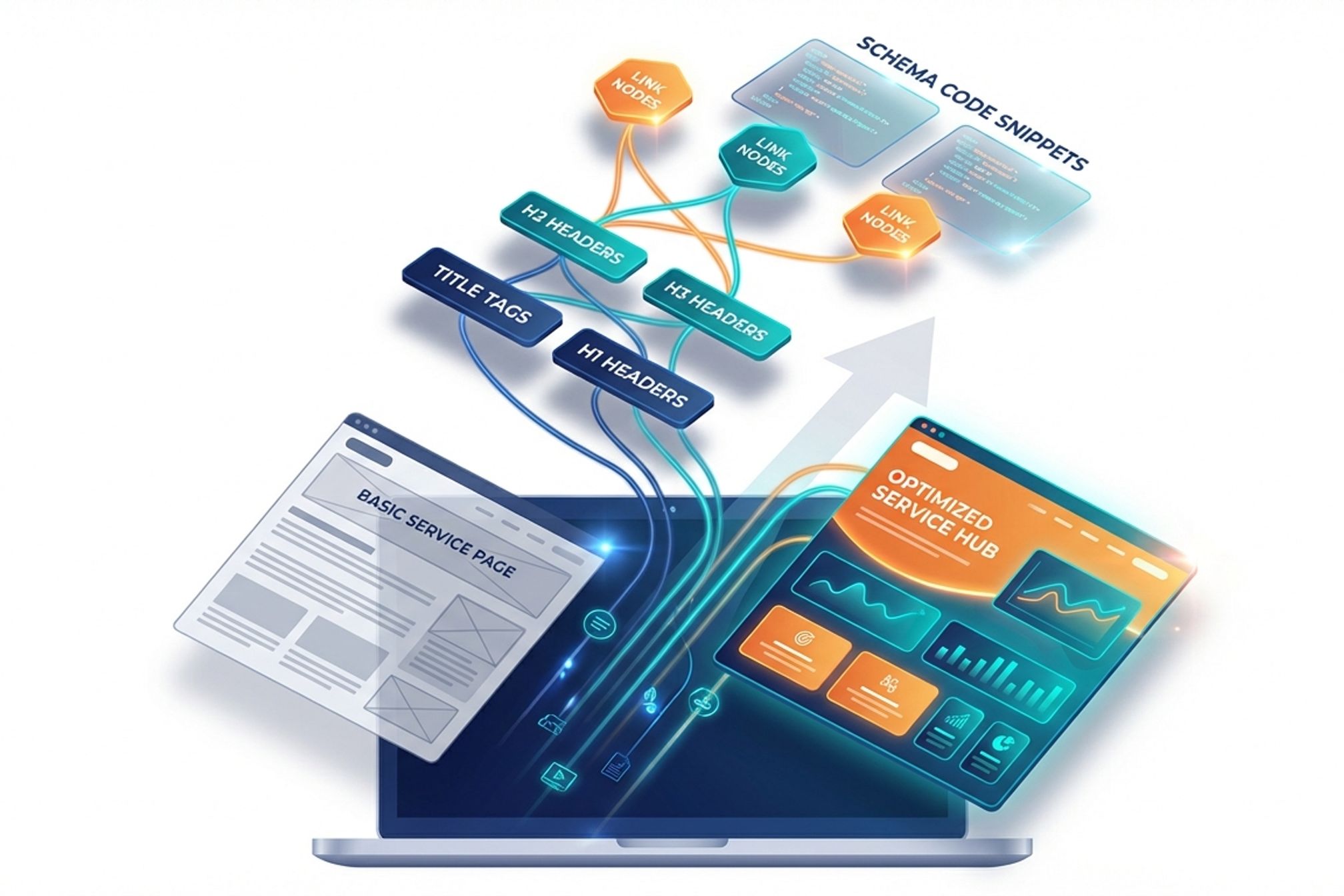
The Fastest Ranking Lifts Without a Full Redesign: The 'On-Page Upgrade' Playbook for Service Pages
You can win faster rankings without a redesign by upgrading on-page elements that search engines weigh heavily. Focus on titles, headers, internal links, schema, depth, and conversion signals to move quickly and measurably.
This playbook is built for resource-constrained SaaS teams. You need impact in weeks, not quarters, and without a cross-functional overhaul. Each tactic here is low effort, high leverage, and directly tied to ranking and conversion gains.
We use an audit-execute-measure loop. Audit the current page against specific questions. Execute focused changes in one sprint. Measure leading indicators like impressions, click-through rate, and scroll depth within two weeks.
Agent Berlin’s approach mirrors this loop by turning visibility signals into actions. Whether you use Berlin or a simple checklist, the key is cadence. Ship incremental upgrades, not wish-list redesigns.
What Is an On-Page Upgrade for Service Pages?
An on-page upgrade is a targeted improvement that strengthens a page’s relevance, clarity, and trust without changing the site’s core design. You adjust what users and crawlers read first: titles, headers, links, schema, and key content blocks.
Service pages are purchase-path pages. They convert interest into pipeline. Upgrades here prioritize clarity of offer, search intent coverage, and frictionless next steps. The goal is to align the promise, proof, and path to action.
On-page elements send clear signals to search engines. Title tags set topical focus. Headers structure topics. Internal links distribute authority. Schema provides machine-readable context. Depth elements answer questions and reduce bounce.
Audit questions: Does the title match the primary intent? Is the H1 unique and specific? Do H2s map to benefits and use cases? Are there 3–7 contextual internal links? Is Service schema present and valid? Is the CTA visible and compelling?
Why Service Pages Need Different Optimization Than Blog Content
Service pages require intent alignment and conversion clarity, while blog posts win on breadth and topical depth. Your service page must answer “What is it, who is it for, why trust it, and what next?”
Searchers landing on service pages show higher purchase intent. They scan, not browse. Short, specific statements outperform long narratives. You win by removing ambiguity, surfacing proof, and guiding to action with minimal friction.
Google evaluates experience, expertise, and trust (E-E-A-T) more heavily on pages that influence decisions. Add verifiable signals: testimonials, logos, case studies, pricing cues, and structured data. Avoid fluff that delays key information.
Audit questions: Does the above-the-fold area state the offer, ICP, and outcome? Do headers echo common queries like pricing, capabilities, and integrations? Do you show real proof within the first screen? Is there a primary CTA that matches intent?
How to Audit and Rewrite Title Tags for Maximum Impact
To improve rankings and clicks, rewrite title tags to match intent and communicate value clearly. Use a repeatable formula and test variations for CTR gains.
Start with a primary keyword that reflects how buyers search. Add a sharp value proposition with an outcome or differentiator. Include your brand if space allows and recognition helps trust. Keep titles within 50–60 characters to avoid truncation.
Use pixel width constraints as a guardrail, not a cage. Prioritize clarity over stuffing modifiers. Match title wording to SERP patterns you see for the query. If competitors emphasize integrations or speed, address that directly.
Audit questions: Does each service page target a distinct primary keyword? Is the promise specific, not generic? Are similar services differentiated by use case or ICP? Are titles unique sitewide? Are high-impression pages tested for CTR within two weeks?
The Service Page Title Tag Formula
The best service page title formula is: Primary Keyword + Outcome/Value Proposition + Brand (optional). This balances relevance, differentiation, and trust.
Examples: “SOC 2 Compliance Automation – Audit-Ready in Weeks | Berlin” or “B2B PPC Management for SaaS – Pipeline, Not Clicks | Berlin.” These show intent alignment and outcome clarity in under 60 characters.
Use outcome verbs like automate, accelerate, reduce, and integrate. Avoid vague claims like comprehensive or world-class. If space is tight, drop the brand for clarity. If brand strength is high, include it to lift trust and CTR.
Test two variants per month on top 5 service pages. Track impressions, CTR, and average position. Keep winners, archive losers. Document learnings by query cluster, like “pricing focus beats speed focus” for specific ICPs.
Before and After Title Tag Examples
Changing vague titles to intent-aligned titles increases CTR and relevance immediately. Use specificity and outcomes to earn clicks over competitors.
Before: “Cloud Security Services | Acme.” After: “Cloud Security for SaaS – Pass Audits, Stop Breaches | Acme.” The after version targets SaaS, addresses outcomes, and matches buying intent.
Before: “AI Marketing Platform | Berlin.” After: “AI Inbound Engine for SaaS – Execute, Not Just Report | Berlin.” The after version differentiates on execution and ICP, which aligns with problem-aware searches.
What to watch: Preserve the primary keyword near the front. Avoid stacking multiple keywords. Do not repeat words used in the brand name. Confirm titles remain unique against other services like “Security Audit” vs “Compliance Audit.”
How to Differentiate Titles Across Similar Services
Differentiate similar services by use case, ICP, and outcome to prevent cannibalization. Each title should target a unique query cluster and intent.
Use modifiers that matter to buyers: industry (SaaS, fintech), segment (startup, enterprise), or outcome (reduce CAC, speed SOC 2). Keep one core keyword per page, like “penetration testing” versus “vulnerability scanning.”
Map titles to funnels. Top-of-funnel services can emphasize education or category fit. Bottom-of-funnel services should promise results and proof. Maintain consistent naming across headers, URLs, and schema to reinforce signals.
Audit questions: Are two service pages ranking for the same head term? Can you separate them by ICP or use case? Does each title contain a unique differentiator? Do internal anchors reflect the same distinction?
How to Restructure Headers for SEO and Readability
Restructure headers to create a logical hierarchy that matches user intent and crawler expectations. Use one H1, focused H2s for benefits, and H3s for details.
Your H1 states the service and audience in 6–10 words. H2s cover key benefits, features, use cases, pricing cues, integrations, and proof. H3s support each H2 with specifics, examples, and FAQs. Avoid skipping levels or using headers for styling.
Question-based H2s mirror how people search, like “How does X work?” or “What does X include?” Semantic variants reinforce relevance, such as “cost,” “pricing,” “ROI,” and “alternatives.”
Audit questions: Is there exactly one H1? Do H2s reflect core decision topics? Are H3s used for scannable details? Do headers include semantic keywords without stuffing? Does the first H2 match the top intent behind the primary keyword?
The Strategic Role of Each Header Level
Each header level communicates topic priority and guides both skimmers and crawlers. H1 declares the primary topic, H2 groups major themes, and H3 unpacks details.
H1 is the page’s promise. It should mirror the title’s primary keyword and audience. H2s align with decision drivers like outcomes, capabilities, pricing, proof, and process. H3s add examples, steps, and answers to common questions.
Consistent structure reduces bounce and improves scroll depth. Users find answers faster. Search engines parse themes cleanly, which helps rankings on long-tail queries.
Checklist: One H1 that matches the offer. 4–8 H2s that match decision topics. 1–3 H3s under each H2 that provide specifics. No headers used solely for visual size.
Question-Based Headers That Match Search Intent
Use question-based headers to mirror the exact language of searchers and win featured snippets. Start H2s with “What,” “How,” “Why,” and “When.”
Examples: “What does our SOC 2 service include?”, “How long does implementation take?”, “What does it cost?”, “Why choose us over manual audits?” Place succinct answers immediately under each question, then elaborate.
Pair questions with modifiers like pricing, timeline, integration, and compliance. This maps to high-converting long-tail queries and earns People Also Ask visibility.
Audit questions: Do at least three H2s start with a question? Does each answer begin with a direct sentence? Are you avoiding jargon in the first sentence? Are answers complete without requiring a click to another page?
Semantic Keyword Integration in Headers
Integrate semantic keywords naturally into headers to expand topical coverage without stuffing. Semantic keywords are related terms that clarify meaning for search engines.
For a “devops consulting” page, add headers like “CI/CD implementation,” “infrastructure as code,” “Kubernetes management,” and “observability practices.” These signal breadth and intent alignment.
Use tools or search the SERP to identify variants. Map each variant to a relevant section of your page. Keep the primary keyword in H1 and one H2, and place semantic terms across other H2s and H3s.
Audit questions: Do headers cover 6–10 related terms found in SERP and competitor pages? Are variants distributed rather than stacked? Are headers still readable and customer-centric?
Internal Linking Strategies That Distribute Authority
Add contextual internal links to distribute authority and guide users to next steps. Place links where they help decisions, not just for crawl paths.
Link from high-traffic pages to priority services to pass authority. Within the service page, link to related services, case studies, pricing, integrations, and comparisons. Aim for 3–7 focused links per page section, not per paragraph.
Use descriptive anchors that reflect the target page’s topic without exact-match stuffing. Measure impact by tracking target page impressions, position, and assisted conversions over two weeks.
Audit questions: Which pages currently link to this service? Which pages should link but do not? Are there broken or redirected anchors? Is the anchor text varied and natural?
Which Pages Should You Link To From Service Pages?
Link to pages that reduce buyer friction and enrich topical relevance. Prioritize case studies, pricing, integrations, comparison pages, and deep-dive resources.
A SaaS “Data Integration Service” page should link to “Supported Connectors,” “Pricing,” “Customer Stories,” and a “Build vs Buy” comparison. These links answer objections and keep users engaged on your site.
Create reciprocal links where helpful. From case studies, link back to the service used. From comparison pages, link back to the primary service CTA. This closes the loop and strengthens thematic clusters.
Checklist: One link to pricing. One to a relevant case study. One to integrations or features. One to a related service. One to a comparison or alternatives page.
Anchor Text Best Practices Without Over-Optimization
Write anchor text that signals relevance, sets expectations, and avoids spam signals. Use natural phrases that reflect the target page’s topic and benefit.
Good anchors: “SOC 2 automation process,” “DevOps for fintech,” or “compare SOC 2 vs ISO 27001.” Avoid exact-match repetition like “SOC 2 service” five times. Vary phrasing while staying descriptive.
Keep anchors short, 2–6 words, and place them in sentences that add context. Do not hide links in vague words like “here.” Link earlier in sections where users need proof or details.
Audit questions: Are anchors diverse across the site? Does each anchor match the target page’s H1? Is there a pattern of overused exact matches? Are any anchors misleading compared to destination content?
Using High-Authority Pages to Boost New Services
To lift new service pages quickly, add links from your highest-authority pages. Authority pages include the homepage, top blog posts, and evergreen resources.
Place a contextual link within a relevant paragraph, not just in footers. Add a short explainer so the link earns clicks and transfers engagement signals. Update navigation or resource hubs if the service is core to your offering.
Track results using Search Console. Look for increases in impressions and average position within 7–14 days. If movement stalls, add a second link from another authority page with a different anchor.
Checklist: Identify top 10 authority pages. Add one contextual link each to the new service. Confirm indexing within 48 hours. Review metrics weekly for one month.
What Schema Markup Should Service Pages Include?
Add schema markup to make your service pages machine-readable and eligible for enhanced results. Use JSON-LD to define your service, provider, and scope.
Service markup clarifies what you do and for whom. Include service name, description, provider organization, service type, and area served. Pair with BreadcrumbList for clarity, and FAQPage where you present Q&A content.
Schema does not replace content. It reinforces it. Keep markup consistent with visible page text and headers. Validate with Google’s Rich Results Test before shipping changes.
Audit questions: Is Service schema present and valid? Does the service name match the H1 exactly? Are FAQs marked up where present? Are breadcrumbs consistent with the site’s URL structure?
Essential Service Schema Properties
Service schema should include a clear name, a concise description, provider, serviceType, areaServed, and offers if pricing cues are shown. These fields establish identity and scope.
Structure example in words: Define @type Service. Set name to the H1 text. Add description with your value proposition. Set provider to Organization with name and URL. Add serviceType like “DevOps Consulting.” Add areaServed for geo or “Global.” Include sameAs for key profiles if relevant.
If you display structured FAQs, add FAQPage markup with Question and AcceptedAnswer pairs. If you show pricing tiers, consider Offer markup tied to the service. Keep all fields truthful and aligned with page copy.
Checklist: One Service entity per page. Provider organization details included. BreadcrumbList points to the service path. FAQPage only when real Q&A exists.
Complementary Schema Types for Enhanced Visibility
Complement Service schema with BreadcrumbList, FAQPage, and HowTo where applicable. These additions expand your eligibility for rich results and clarify context.
BreadcrumbList improves sitelinks and navigation signals. FAQPage earns collapsible answers directly in SERPs when Q&A exists on-page. HowTo fits step-based services like onboarding or implementation.
Only add markup that matches visible content. Over-marking creates risk without benefit. Test each addition and monitor Search Console for enhancements and errors.
Audit questions: Do breadcrumbs reflect the actual navigation path? Are FAQs formatted with clear questions and direct answers? Is a process outlined clearly enough to justify HowTo? Are there validation errors after deployment?
How to Add Content Depth Without Fluff
Add content depth by answering buyer questions, showing process clarity, and proving outcomes. Focus on usefulness over length to improve rankings and conversions.
Include sections on use cases, step-by-step process, pricing cues, integrations, timelines, and real examples. Each section should start with a one-sentence answer, followed by details and proof. Avoid repeating the same claim across headers.
Depth improves long-tail coverage and reduces pogo-sticking. Users stay when they get complete answers fast. Search engines reward pages that satisfy intent with fewer clicks.
Audit questions: Does the page answer who it’s for, how it works, what it includes, how long it takes, and what it costs? Do you show outcomes with numbers or concrete scenarios? Are examples specific to your ICP?
Five Content Elements Every Service Page Needs
Every high-performing service page includes five elements: clear offer, outcomes, proof, process, and next step. These cover intent and reduce uncertainty.
Clear offer defines the service and ICP in one line. Outcomes quantify value, like “launch in 14 days” or “cut CAC by 20%.” Proof includes logos, testimonials, or short case stats. Process outlines steps with expected timelines. Next step gives a friction-light CTA, like “See a 10-minute walkthrough.”
Place these elements above the fold and reinforced below. Repeat the CTA after major sections. Keep one primary action to avoid choice paralysis.
Checklist: One-line offer, quantified outcome, two proof points, three-step process, one clear CTA. If any are missing, prioritize adding them before chasing more traffic.
Addressing Objections and Comparison Questions
Directly address objections to reduce bounce and earn trust. Objections include cost, timeline, resources, integration risk, and vendor lock-in.
Create a “Compare” subsection that answers “When to choose us vs alternatives,” including DIY and agencies. Use neutral, factual language. Buyers reward transparency and clarity over hype.
Turn objections into structured FAQs and short comparisons. Example: “How long to go live?” Answer: “Two weeks for standard setups; four for complex integrations.” Include prerequisites so expectations stay realistic.
Audit questions: Are the top three objections addressed with numbers or specifics? Is there a fair comparison to alternatives? Do sales calls repeat questions already answered on the page? If yes, upgrade the section.
Using Real Customer Scenarios to Demonstrate Value
Use short, specific customer scenarios to make outcomes tangible. Scenarios beat generic claims because they mirror real constraints and goals.
Example: “A 12-person SaaS team moved from reporting to automated execution. In two weeks, we shipped 23 on-page fixes, lifted CTR by 18%, and booked four demos.” Replace vague “improved performance” with concrete numbers and timelines.
Structure each scenario as problem, action, outcome. Keep it 4–6 sentences. Link to full case studies for depth. Add industry and team size to help readers self-identify.
Checklist: One scenario above the fold, one mid-page, one near the CTA. Each includes a metric, a timeframe, and a specific action taken.
Conversion Elements That Improve Both Rankings and Revenue
Conversion elements lift engagement metrics that correlate with rankings and pipeline. Add trust, clarity, and frictionless CTAs to keep users moving.
Above the fold, state the offer, ICP, and value in one glance. Add two trust signals immediately, like logos or a short testimonial. Place a primary CTA that matches intent, such as “See pricing” or “Get a tailored plan.”
Mid-page, reinforce with proof and a short FAQ. Near the bottom, repeat the primary CTA and offer a secondary low-friction action, like a 10-minute demo video. Avoid modals that block reading until users engage voluntarily.
Audit questions: Is the primary CTA visible without scrolling? Do trust signals appear in the first screen? Does the page load under two seconds on mobile? Are there unnecessary steps before users can see pricing or a demo?
Trust Signals That Build Credibility
Trust signals reduce risk for buyers and help search engines infer authority. Place them where decisions happen: top, mid, and near CTAs.
Use customer logos, quantified testimonials, security badges, certifications, and media mentions. Add short captions for context, like “Scaled from 0 to 12 qualified demos in 30 days.” Avoid stock reviews without names or roles.
For technical services, include credentials, compliance support, and architecture diagrams. Link to policies like security and SLA. Keep claims verifiable and avoid inflated superlatives.
Checklist: Three logo tiles, two quantified testimonials, one credential badge near the CTA. Each proof point should reference a real team or outcome, not a generic statement.
Strategic CTA Placement for Service Pages
Place CTAs where intent peaks and avoid competing actions. One primary CTA wins more conversions than multiple equal-weight buttons.
Use a primary CTA above the fold, after the first proof block, and near the end. Offer a secondary action for evaluators, like “Download a sample plan.” Ensure button copy states the outcome, not a generic “Submit.”
Align CTAs to page intent. If the service is complex, “See a 10-minute walkthrough” converts better than “Talk to sales.” Test two copy variants per month and track click-through and demo requests.
Audit questions: Is there exactly one primary CTA design? Are CTA labels outcome-driven? Do CTAs appear at three natural breaks? Is there a low-friction alternative for early-stage visitors?
FAQ Sections as Dual-Purpose SEO and Conversion Tools
FAQs capture long-tail queries and remove purchase barriers in one place. Use direct answers that fit under 60 words before elaboration.
Select 6–10 high-intent questions from sales calls, chat logs, and People Also Ask. Start each answer with a one-sentence truth, then add one clarifying detail and a link if needed. Mark up with FAQPage schema when Q&A is visible.
Position FAQs mid-to-late page, not at the very bottom. That placement catches evaluators who need specifics before committing to a CTA.
Audit questions: Do FAQs include pricing, timeline, integrations, and security? Are answers short and definitive? Are duplicates removed across service pages? Is the schema validated with no errors?
Which Service Pages Should You Optimize First?
Prioritize pages with near-term lift potential and high business value. Target URLs already ranking on pages 2–3 for strategic keywords.
Use a simple scoring model: Current position (best near page 2), search volume, commercial intent, and pipeline impact. Multiply scores to rank opportunities. Pick the top five to sprint this month.
Check technical health first. Fix indexing, canonical, and load issues before content changes. Then apply the on-page upgrades in this playbook and measure weekly.
Audit questions: Which pages have impressions but low CTR? Which have conversions with poor rankings? Which services drive the highest revenue or retention? Are there duplicates cannibalizing the same term?
The Service Page Prioritization Framework
Use this framework: Rank = Opportunity x Intent x Value x Health. Score each from 1 to 5, then multiply.
Opportunity is current position and volume. Intent is likelihood to convert from this query. Value is expected pipeline or ACV influence. Health is technical readiness and content completeness. A page scoring 4x5x5x4 outranks a 5x3x2x5.
Sort pages by score and choose a realistic sprint size. Resource-constrained teams can improve five pages in two weeks using this method.
Checklist: Build a sheet with the four scores, assign owners, set a two-week window, and define success metrics like CTR +15% or position +3 spots.
Quick Audit Questions to Identify Your Biggest Gaps
Use these questions to find fast wins and blockers. Answer honestly and act within two weeks.
Titles: Does each title match intent and include an outcome? Headers: Is there one H1 and do H2s match decision topics? Links: Do high-authority pages link to this service? Schema: Is Service and FAQPage markup valid? Depth: Do you show use cases, process, and proof? Conversion: Is the primary CTA visible and outcome-driven?
If two or more answers are no, prioritize those fixes now. Ship changes, request indexing, and review Search Console data after seven days.
Tip for lean teams: Batch similar fixes across pages. Rewrite five titles in one session. Add Service schema to all target pages the next day. Momentum compounds.
Your On-Page Upgrade Action Plan
Execute this four-step loop: Audit, Prioritize, Ship, Measure. Repeat every two weeks for compounding gains.
Week 1: Audit titles, headers, internal links, schema, depth, and conversion elements. Score pages with the prioritization framework. Rewrite titles and H1s. Add 3–7 internal links from authority pages. Ship Service and FAQ schema.
Week 2: Expand content depth with use cases, process steps, and objections. Add trust signals and refine CTAs. Request indexing and monitor impressions, CTR, and scroll depth. Keep a changelog tied to metrics.
Next step: Run a service page audit today using the questions in this guide. Pick your top five pages. Ship focused upgrades this week and review results in seven days. Repeat until your core services dominate their query clusters.
Stay ahead of the AI search revolution
LLM-based search is transforming user behavior rapidly. Subscribe to get exclusive insights from our experiments, discoveries, and strategies that keep you competitive in this evolving landscape.
No spam. Unsubscribe anytime. Updates only when we have valuable insights to share.